
 Tweet
Tweet
Rick Tavel put me in contact wiith Brian Meissen to create a poster of the cars in the 2013 MiFBody calendar.
The poster artwork is free. If you want a printed poster you can have the artwork printed at your expense. Even if you don't print a poster you can use the artwork as the background on your computer.
If you get a poster I only ask that you visit custom-car-art.com and consider making a donation to one of the organizations that help wounded American soldiers.
I created one basic poster design using the cars on the 2013 MiFBody Calendar. There are 13 versions of the poster shown below where each version has a different background. Hopefully you will find a version that you like.
The artwork can be used to print the following poster sizes: 8x10, 16x20, and 24x30. If you are willing to live with minor cropping you can also print these sizes: 20x24, 21x27, and 22x28.
Follow these steps to get the artwork and print your poster:
1. Right-click on the "Get the high resolution artwork file" link beneath the picture of the poster you like and choose "Save Link As" (Firefox) or "Save target as" (Internet Explorer) to save the high resolution artwork file onto your computer.
2. Be careful not to save the low resolution sample (the images displayed below) as your artwork file. The high resolution artwork file is larger than 3MB, and the low resolution sample is less than 1MB.
3. Once you have the high resolution artwork on your computer you can have it printed in the size that you desire.
4. More information about about printing can be found here. Please read it. I really like the results I've gotten at Nations Photo Lab using the metallic paper.
There are pixelation effects (like jagged lines) visible on the samples below due to scaling down from the high resolution artwork to the low resolution sample. When you view or print the high resolution artwork the pixelation effects are not there.

Get the high resolution artwork file for the poster shown above.

Get the high resolution artwork file for the poster shown above.

Get the high resolution artwork file for the poster shown above.

Get the high resolution artwork file for the poster shown above.

Get the high resolution artwork file for the poster shown above.

Get the high resolution artwork file for the poster shown above.

Get the high resolution artwork file for the poster shown above.

Get the high resolution artwork file for the poster shown above.

Get the high resolution artwork file for the poster shown above.

Get the high resolution artwork file for the poster shown above.

Get the high resolution artwork file for the poster shown above.

Get the high resolution artwork file for the poster shown above.

Get the high resolution artwork file for the poster shown above.
Instructions for how to download the artwork and have it printed are at the top of this post.
The poster artwork is free.
If you want a printed poster you can have the artwork printed at your expense. Even if you don't print a poster you can use the artwork as the background on your computer.If you get a poster I only ask that you visit custom-car-art.com and consider making a donation to one of the organizations that help wounded American soldiers.
I created one basic poster design using the cars on the 2013 MiFBody Calendar. There are 13 versions of the poster shown below where each version has a different background. Hopefully you will find a version that you like.
The artwork can be used to print the following poster sizes: 8x10, 16x20, and 24x30. If you are willing to live with minor cropping you can also print these sizes: 20x24, 21x27, and 22x28.
Follow these steps to get the artwork and print your poster:
1. Right-click on the "Get the high resolution artwork file" link beneath the picture of the poster you like and choose "Save Link As" (Firefox) or "Save target as" (Internet Explorer) to save the high resolution artwork file onto your computer.
2. Be careful not to save the low resolution sample (the images displayed below) as your artwork file. The high resolution artwork file is larger than 3MB, and the low resolution sample is less than 1MB.
3. Once you have the high resolution artwork on your computer you can have it printed in the size that you desire.
4. More information about about printing can be found here. Please read it. I really like the results I've gotten at Nations Photo Lab using the metallic paper.
There are pixelation effects (like jagged lines) visible on the samples below due to scaling down from the high resolution artwork to the low resolution sample. When you view or print the high resolution artwork the pixelation effects are not there.
Get the high resolution artwork file for the poster shown above.
Get the high resolution artwork file for the poster shown above.
Get the high resolution artwork file for the poster shown above.
Get the high resolution artwork file for the poster shown above.
Get the high resolution artwork file for the poster shown above.
Get the high resolution artwork file for the poster shown above.
Get the high resolution artwork file for the poster shown above.
Get the high resolution artwork file for the poster shown above.
Get the high resolution artwork file for the poster shown above.
Get the high resolution artwork file for the poster shown above.
Get the high resolution artwork file for the poster shown above.
Get the high resolution artwork file for the poster shown above.
Get the high resolution artwork file for the poster shown above.
Instructions for how to download the artwork and have it printed are at the top of this post.


 Funny that we never noticed it when we announced the winners of the calendar.

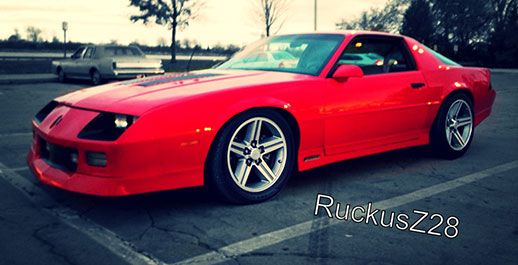
 357ci LT1, cammed, stalled, and driven.

Comment